

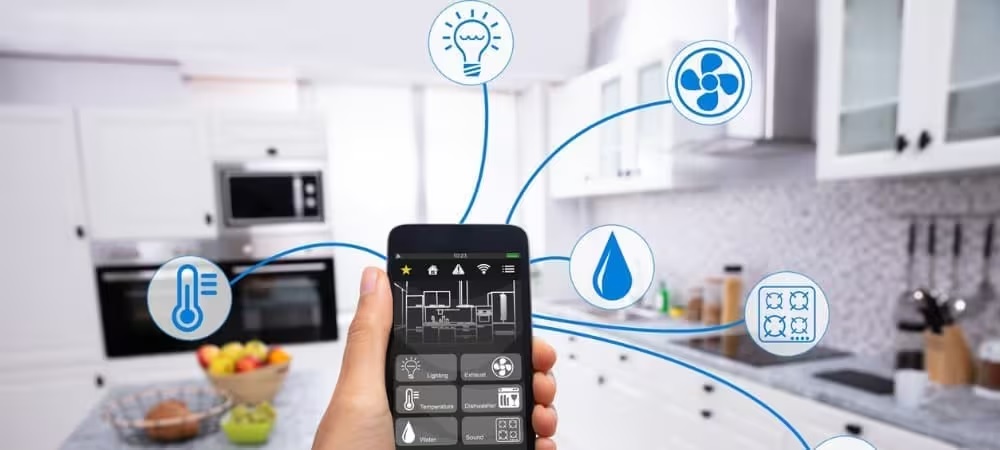
As technology continues to advance, the concept of a “smart home” has evolved from futuristic to mainstream. Homeowners are increasingly embracing the convenience, security, and efficiency offered by smart devices. Whether you’re looking to enhance your home’s functionality or simply make your living space more efficient, upgrading to smart technology can provide a wide range of benefits. This step-by-step guide will walk you through the process of transforming your home into a fully connected, smart environment.
Step 1: Assess Your Home’s Current Setup
Before you dive into the world of smart technology, it’s essential to assess your home’s current infrastructure. Determine which areas of your home can benefit most from smart devices. Do you want to focus on enhancing security, improving energy efficiency, or adding convenience to everyday tasks? Identifying the primary goals for your smart home upgrade will help you make informed decisions on which devices to invest in.
Start by evaluating your existing Wi-Fi network. Since most smart devices rely on Wi-Fi to operate, it’s important to ensure that your home’s network is robust and capable of supporting the additional load. If your Wi-Fi signal is weak in certain areas of the house, consider upgrading your router or installing mesh Wi-Fi systems to ensure consistent coverage throughout the home.
Step 2: Choose a Smart Home Ecosystem
Once you’ve determined your needs and assessed your home’s capabilities, the next step is to choose a smart home ecosystem. A smart home ecosystem refers to the platform that allows all of your devices to communicate and be controlled from one central location, typically through a smartphone app or voice assistant.
The most popular smart home ecosystems are Amazon Alexa, Google Assistant, and Apple HomeKit. Each has its strengths, so the right choice for you will depend on your personal preferences and the devices you plan to use.
- Amazon Alexa is known for its wide range of compatible devices and user-friendly interface. It’s a great choice for those who want a broad selection of smart products.
- Google Assistant integrates well with Google’s suite of services, including Google Nest devices, making it ideal for users who already use Google products.
- Apple HomeKit offers a more secure and privacy-focused ecosystem, particularly for those who already own Apple products like iPhones, iPads, and Macs.
Choosing the right ecosystem ensures that your devices will work seamlessly together and can be controlled through a single app or voice command.
Step 3: Start with Core Devices
Once you’ve selected your ecosystem, it’s time to begin adding devices to your home. Start with the core smart devices that will have the greatest impact on your daily life and provide a foundation for further automation. Some essential smart devices to consider are:
- Smart Thermostats: A smart thermostat allows you to control your home’s temperature remotely, optimize energy usage, and even program heating and cooling schedules. Popular options include the Nest Thermostat and the Ecobee SmartThermostat.
- Smart Lighting: Upgrade your home’s lighting with smart bulbs that can be controlled from your smartphone or voice assistant. Smart lighting systems like Philips Hue and LIFX offer features such as color changing, dimming, and scheduling.
- Smart Plugs: Smart plugs allow you to turn regular appliances into smart devices by enabling remote control. With smart plugs, you can control lamps, coffee makers, and even fans from your phone or voice assistant.
These core devices provide immediate benefits, such as energy savings and increased convenience, while also serving as the foundation for further smart technology integration.
Step 4: Enhance Security with Smart Devices
Security is one of the most important aspects of any smart home. Fortunately, there are a wide range of smart security devices available to help you monitor and protect your home, both inside and out.
- Smart Cameras: Outdoor security cameras, such as those from Ring, Arlo, or Nest, allow you to monitor your property in real-time. Many smart cameras come with motion detection and can send alerts to your phone if they detect unusual activity.
- Smart Doorbells: Smart doorbells, like the Ring Video Doorbell, allow you to see and communicate with visitors from your phone, even when you’re not at home. These devices also typically feature motion sensors to alert you when someone is approaching your door.
- Smart Locks: Smart locks, such as those from August or Schlage, allow you to lock and unlock doors remotely, offer keyless entry, and provide access logs to track who enters and exits your home.
Smart security systems not only provide peace of mind but also allow you to respond to potential threats quickly, even when you’re away from home.
Step 5: Add Entertainment and Convenience Features
After securing your home, consider enhancing your entertainment and convenience features with additional smart devices. These devices can make daily life more enjoyable and help streamline everyday tasks.
- Smart Speakers: Devices like the Amazon Echo or Google Nest Audio act as voice assistants, allowing you to play music, answer questions, control other smart devices, and even make shopping lists with just your voice.
- Smart TVs and Streaming Devices: Upgrade your entertainment system with a smart TV or a streaming device like the Roku, Apple TV, or Amazon Fire TV. These devices give you access to streaming services and can often integrate with your other smart devices.
- Smart Kitchen Appliances: If you enjoy cooking, smart kitchen devices like the Instant Pot Smart or Smarter Coffee maker can make meal prep more convenient and efficient. These appliances can be controlled remotely, so you can start cooking or brewing coffee from anywhere.
By adding entertainment and convenience features, you can further enhance the smart technology experience in your home.
Step 6: Automate Your Home
Once you’ve installed the core devices and added some convenience features, it’s time to start automating your home. Smart home automation involves creating routines or triggers that enable your devices to work together and perform specific actions automatically.
For example, you can set up a routine that turns off your lights, locks the doors, and adjusts the thermostat when you leave the house. Or, you could program your lights to turn on at sunset and off at sunrise to simulate your presence while you’re away.
Many smart home ecosystems, such as Alexa, Google Assistant, and Apple HomeKit, allow you to create and manage automations through their respective apps. These automations can make your home more energy-efficient, secure, and convenient without requiring constant manual control.
Step 7: Maintain and Update Your Smart Home System
A smart home requires regular maintenance to ensure that all devices continue to operate smoothly and securely. This includes updating device firmware, monitoring your Wi-Fi network’s performance, and occasionally adding new devices to keep your home up to date with the latest technology.
Be sure to check for software and firmware updates for each of your devices regularly. Many smart devices will notify you when updates are available, so it’s important to stay on top of these to ensure your devices function properly and securely.
Conclusion
Upgrading your home with smart technology doesn’t have to be a daunting task. By following these steps, you can create a fully connected home that enhances your comfort, convenience, and security. From evaluating your current setup and choosing the right ecosystem to adding core devices and automating your home, the process is straightforward and rewarding. Whether you’re starting small or going all-in, smart home technology is a great investment that will continue to improve your living space for years to come.