

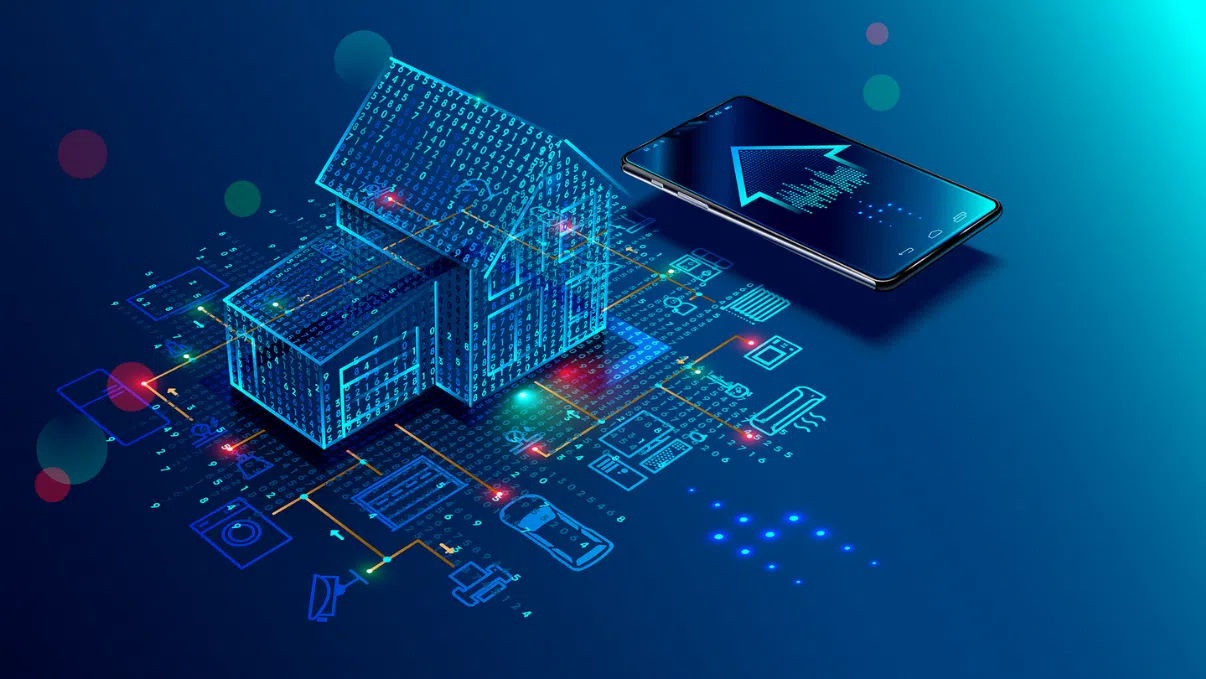
The concept of a smart home used to feel like science fiction. Today, it is a mainstream reality that offers tangible benefits, from reducing energy bills to providing peace of mind. However, stepping into the world of home automation can feel overwhelming. With thousands of devices, competing ecosystems, and technical jargon like Zigbee, Z-Wave, and Matter, many homeowners stall before they even begin.
Building the ultimate smart home does not require automating your entire house overnight. The most successful setups are built incrementally, starting with a solid foundation and adding devices that solve real, everyday problems. This guide will walk you through the essential steps to launch your smart home journey, focusing on maximum convenience and seamless integration.
The Foundation: Choosing Your Ecosystem and Hub
Before purchasing a single smart plug or light bulb, you must select the central ecosystem that will control your home. Think of this as the brain of your operation. Mixed ecosystems lead to fragmented control, requiring you to open five different apps just to turn off the lights and lock the front door. Stick to one primary platform for a unified experience.
The Big Three Ecosystems
-
Amazon Alexa: Known for its massive compatibility list and user-friendly voice commands. The Echo device lineup offers options for every room budget.
-
Google Home: Powered by the robust Google Assistant, this ecosystem excels at answering complex questions and integrating with Android devices and Nest products.
-
Apple Home (HomeKit): The go-to choice for iOS users. It prioritizes local processing and strict security standards, though compatible devices can sometimes be more expensive.
The Rise of Matter
When shopping for devices, look for the Matter logo. Matter is a unifying industry standard that allows devices from different brands to work together seamlessly across Apple, Google, and Amazon platforms. Choosing Matter-compatible devices future-proofs your investment and reduces setup headaches.
Phase 1: High-Impact, Low-Effort Upgrades
The best way to start is with low-cost devices that offer immediate, daily convenience. These items require minimal installation and provide instant gratification.
Smart Lighting
Replacing traditional light bulbs with smart bulbs is the classic entry point to automation. You can dim lights via voice command, set schedules to wake up naturally in the morning, or program your lights to turn off automatically when you leave the house.
-
Smart Bulbs: Ideal for lamps and accent lighting. Brand leaders like Philips Hue or Wyze offer millions of color options.
-
Smart Switches: If you want to control overhead fixtures with multiple bulbs, replacing the wall switch is more cost-effective than buying a dozen smart bulbs. This also ensures your switches still work manually if someone flips them off.
Smart Plugs
Smart plugs are the unsung heroes of home automation. They transform any “dumb” appliance into a connected device. Plug in a coffee maker, a curling iron, or a holiday display, and you can now control its power supply remotely or put it on a strict schedule.
Phase 2: Enhancing Home Security and Access
Once you comfortable with lighting and plugs, the next logical step focuses on security and access control. This phase introduces automation that protects your property and eliminates everyday annoyances like fumbling for keys.
Smart Locks
A smart lock replaces your traditional deadbolt, allowing you to unlock your door via a smartphone app, a keypad code, or biometric fingerprint scanning.
-
Keyless Entry: Never worry about losing your keys again.
-
Guest Access: Create temporary digital keys for dog walkers, house guests, or contractors, and track exactly when they enter and leave.
-
Auto-Locking: Program your door to lock automatically two minutes after it closes.
Video Doorbells and Security Cameras
Video doorbells allow you to see, hear, and speak to anyone at your door from anywhere in the world. They act as a powerful deterrent against package theft and property crime. Combine a video doorbell with a few strategically placed outdoor smart cameras to create a comprehensive perimeter security network that alerts your phone the moment unusual motion is detected.
Phase 3: Climate Control and Energy Efficiency
Smart home automation is not just about convenience; it is also an excellent tool for lowering your utility bills.
Smart Thermostats
Heating and cooling consume the largest share of energy in most households. Smart thermostats like the Nest Learning Thermostat or Ecobee optimize this consumption automatically.
-
Geofencing: The thermostat uses your phone’s location to know when you leave the house, dropping into an energy-saving eco-mode while you are away.
-
Remote Sensors: Place sensors in rooms that run too hot or too cold to ensure balanced comfort throughout the entire house, rather than just reading the temperature in the hallway.
Creating Advanced Automations and Routines
The true magic of a smart home happens when you stop controlling devices individually and start linking them together through routines or scenes. Routines allow a single trigger to execute multiple actions simultaneously.
The Good Morning Routine
-
Trigger: You say, “Good morning,” or your phone alarm goes off.
-
Actions: The bedroom lights fade up to 30 percent, the smart plug turns on the espresso machine, and the smart thermostat adjusts to a comfortable daytime temperature.
The Away Routine
-
Trigger: Your phone leaves the geofence radius of your property.
-
Actions: All interior lights turn off, the robot vacuum begins cleaning, the smart thermostat enters eco-mode, and the front door locks itself securely.
Common Pitfalls to Avoid
-
Overloading Your Wi-Fi Router: Standard internet routers supplied by internet service providers can struggle when dozens of smart devices connect at once. Consider upgrading to a mesh Wi-Fi system to ensure a stable, far-reaching connection.
-
Buying Without Verification: Always double-check that a new device is compatible with your primary ecosystem (Alexa, Google Home, or Apple Home) before purchasing.
-
Ignoring Physical Control: Ensure that guests, children, or babysitters can still operate your home using physical switches or keypads without needing an app on their phones.
Frequently Asked Questions
Do I need a strong internet connection for a smart home to function?
Yes, a stable internet connection is required to set up devices, receive remote alerts, and control things when you are away from home. However, many modern smart devices utilizing Matter, Zigbee, or Z-Wave can still communicate with each other locally even if your external internet connection goes down.
Can smart home devices significantly lower my electric bill?
Absolutely. Smart thermostats can reduce heating and cooling bills by up to fifteen percent by optimizing runtime. Smart lighting and smart plugs ensure that electronics and lights are never left running in empty rooms, eliminating phantom energy drain.
What happens to my smart home if the power goes out?
If the power goes out, your smart devices will turn off just like traditional appliances. Once power is restored, most smart devices will automatically reconnect to your Wi-Fi network and resume their previous schedules. Smart locks usually contain physical backup batteries or traditional key slots so you will never be locked out.
Are smart home devices safe from hackers and cyber threats?
While any internet-connected device carries some risk, you can secure your setup by changing default passwords immediately, enabling two-factor authentication on all smart home accounts, and keeping your device firmware updated. Placing your smart devices on a separate guest Wi-Fi network also isolates them from your main computers and smartphones.
Do I need to hire a professional contractor to install these systems?
Most entry-level and mid-tier smart home products, such as smart bulbs, plugs, cameras, and even smart locks, are designed for straightforward, DIY installation. You will only likely need a professional if you are uncomfortable handling minor electrical wiring, such as replacing a traditional wall switch or installing a hardwired video doorbell.
Can different brands of smart devices work together in the same house?
Yes, provided they are compatible with the same overarching ecosystem like Amazon Alexa or Apple Home. The introduction of the Matter standard has made cross-brand compatibility much easier, allowing devices from different manufacturers to interact directly without issues.
How do smart devices track whether I am home or away?
Most systems use a feature called geofencing, which utilizes the GPS location of your smartphone. When your phone crosses a virtual boundary around your property, the smart home system triggers the corresponding home or away routines you have established.